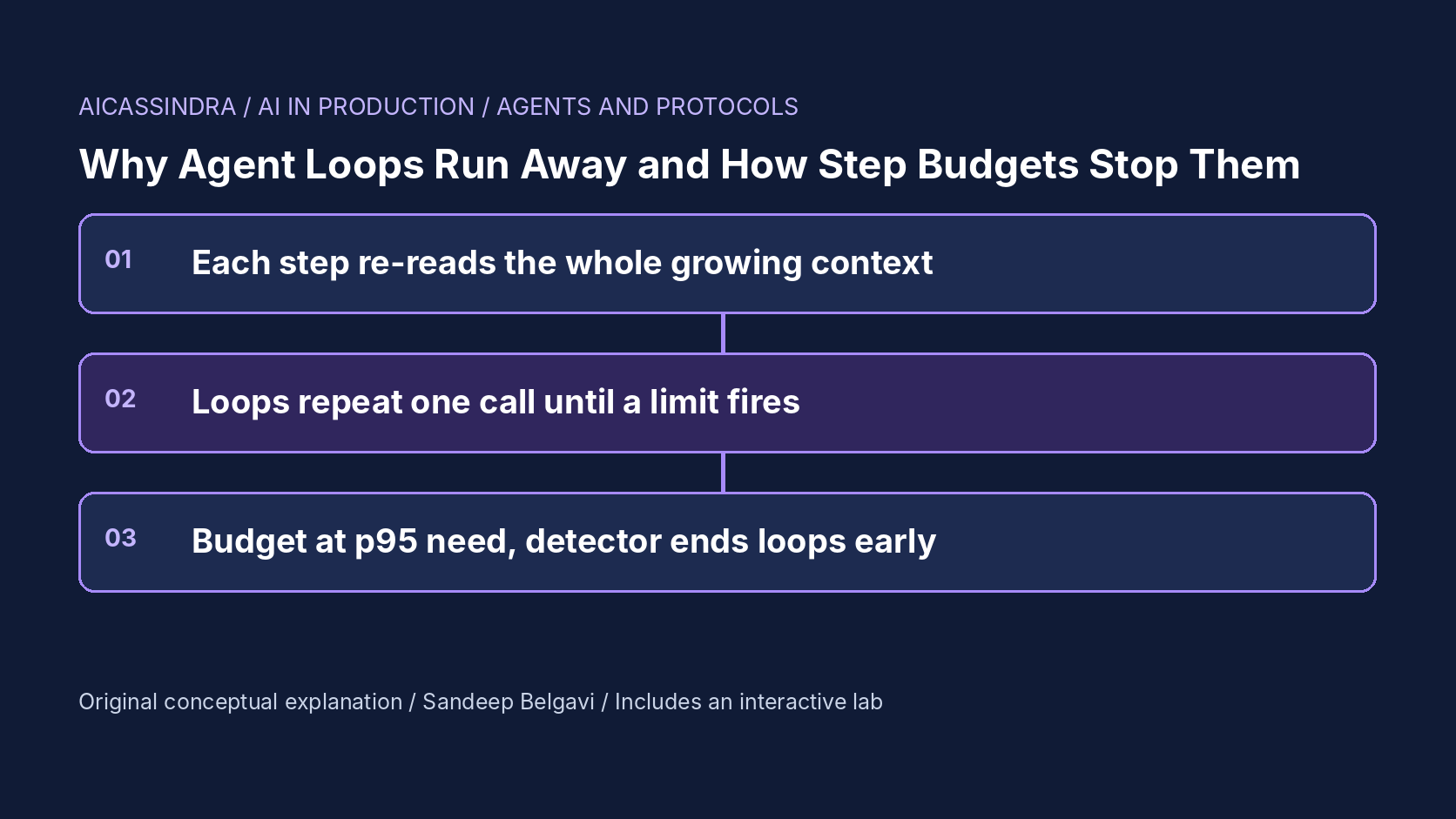
An agent is a loop: the model reads the conversation so far, picks a tool, the runtime executes it, the result is appended, and the model is called again. Nothing in that loop knows when to stop except the model itself. Most of the time the model does stop, with an answer. Some of the time it calls the same search with the same arguments for the ninth time, or retries a tool that will never succeed, or keeps re-planning a task it cannot finish. Without a limit, that run ends only when the context window overflows, a timeout somewhere fires, or someone notices the bill.
This guide explains why runaway runs dominate agent cost far more than their frequency suggests, how to size a step budget from data instead of folklore, why a budget alone is a blunt instrument, and what loop detection, re-plan nudges and graceful exits add. It covers the actual limits exposed by frameworks such as LangGraph and the OpenAI Agents SDK, the arithmetic of context growth, and the metrics that reveal runaway loops in production. The embedded lab runs 1,500 synthetic tasks through an agent loop so you can watch each guardrail change success rate and cost.
Why one runaway run costs as much as thirty normal ones
The cost of an agent step is not constant. A typical tool-calling loop sends the full history to the model on every step: the system prompt and tool definitions, the user request, every earlier assistant message and every tool result. If the fixed prefix is S tokens and each step adds a tool result of o tokens plus an assistant message of a tokens, step n reads S + (n - 1)(o + a) input tokens. Summed over N steps:
input_tokens(N) = N * S + (o + a) * N * (N - 1) / 2

# illustrative values used in the lab
S = 2,500   o = 1,200   a = 120
N = 6   :    15,000 +  1,320 * 15  =    34,800 input tokens
N = 40  :   100,000 +  1,320 * 780 = 1,129,600 input tokens

# at an illustrative $3 per million input and $15 per million output tokens
N = 6   : about $0.11 per task
N = 40  : about $3.46 per task  (roughly 30x, for 6.7x the steps)
The second term is quadratic, so the cost of a run grows with the square of its length once the accumulated tool results dominate the fixed prefix. A loop that burns 40 steps is not 6.7 times more expensive than a normal six-step task; in this example it is about 30 times more expensive. If one task in a hundred runs away to 40 steps, those runaway tasks alone add about $35 per thousand tasks on top of a baseline near $115: almost a quarter of the bill from one percent of the traffic.
Prompt caching changes the price of the repeated prefix, not the shape of the problem. Cached input tokens are billed at a discount by providers that support it, and that discount is worth having, but latency still grows with context length, cache entries expire, and the run still ends with a context window full of repeated tool output. Check your provider's current caching rules and prices before you rely on them in a cost model.
How agents get stuck
Runaway runs come from a small set of mechanisms, and they need different guardrails:
- Repeat loops. The model issues the same tool call with the same arguments, receives the same result, and decides again that the same call is the best next step. This is common when a tool returns an empty or ambiguous result, or when the result is truncated so the model never sees the field it is looking for.
- Retry spirals. A tool fails, the model retries, it fails again. Each retry is a legitimate step that makes no progress, and with a flaky dependency the expected number of attempts per useful call is
1 / (1 - error_rate): 1.06 at a 6% error rate, 1.43 at 30%. - Oscillation. The agent alternates between two or three calls (search, open, search with slightly different words) without converging. Exact-match repeat detection misses this unless it looks at a window of recent calls.
- Honest long tasks. Some tasks really need many steps. These are not bugs, and a budget sized for the median task will kill them.
The probability arithmetic is unforgiving. If each step has a 2.5% chance of entering a repeat loop, a six-step task has a 1 - 0.975^6, roughly 14%, chance of entering at least one. If the model escapes a loop on its own with probability 8% per step, the expected loop lasts 12.5 steps, and the chance that a loop survives 20 consecutive steps is 0.92^19, about 20%. Those are the lab's illustrative constants, not measurements, but the structure is general: a small per-step failure probability compounds over steps, and the runs it produces are the longest and therefore the most expensive ones.
The guardrails, and what each one actually bounds
"Step budget" is often used loosely for several different limits. They bound different things and fail in different ways:
| Guardrail | What it bounds | Typical failure if misused |
|---|---|---|
| Max steps (turns, iterations) | Number of model calls per task | Too low: honest long tasks fail. Too high: loops run long before dying |
| Token or cost budget | Spend per task, independent of step size | Kills a task mid-tool-call unless the check happens between steps |
| Wall-clock deadline | User-visible latency | Slow tools exhaust it while the model makes progress |
| Repeat detector | Identical calls in a row or in a window | False positives on legitimate polling tools |
| No-progress detector | Steps without new information or state change | Hard to define; needs a progress signal from tools |
| Per-tool retry limit | Attempts on one failing dependency | Retries inside the tool are invisible to the step count |
A max-steps limit is the backstop: it guarantees termination, which is why every framework has one. It is a poor primary defence, because it can only fire at a fixed step number. By the time a looping run reaches a budget of 40, it has already paid for 40 steps of growing context. A repeat detector fires after two or three identical calls, which on a looping task is usually 30 or more steps earlier.
Sizing the budget from the distribution of honest work
The right step budget is a statement about your task distribution, not a constant to copy. Pull the step counts of successful runs from your traces and look at the upper percentiles. If successful tasks need 4 steps at the median, 11 at p95 and 17 at p99, a budget of 60 adds no successes and buys you long loops; a budget of 8 cuts off a large share of honest work. A reasonable starting point is the p99 of successful runs plus a margin for retries, then adjusted by looking at what the runs that hit the limit were doing.
Two corrections matter in practice. First, the step count of successful runs already contains the retries of a healthy system; if a dependency degrades, every task stretches by roughly 1 / (1 - error_rate) and a budget that used to sit at p99 now sits at p90. Second, if your agent issues parallel tool calls, decide whether the budget counts model turns or tool executions. Frameworks differ, and a turn that fans out to eight tool calls costs far more than one that calls a single tool.
The budget should also be tiered by task type when the router knows it. A "look up one order" intent and a "reconcile this month's invoices" intent have different honest distributions, and a single global budget forces you to choose which one to break.
Loop detection and what to do when it fires
A repeat detector needs a canonical form of each call: the tool name plus the arguments serialised with sorted keys and normalised whitespace, hashed. Keep a short window of recent hashes, and fire when the same hash appears k times in a row (or k times in the last w calls, which also catches two-call oscillation). The policy when it fires is the interesting design choice:
def run_agent(task, max_steps=20, max_cost_usd=0.50, repeat_k=2, window=6):
    history, recent, cost = [system_prompt(), task], [], 0.0
    for step in range(1, max_steps + 1):
        reply = model.call(history)
        cost += price(reply.usage)
        if reply.final_answer:
            return Result("ok", reply.final_answer, steps=step, cost=cost)
        key = sha256(reply.tool_name + canonical_json(reply.tool_args))
        recent = (recent + [key])[-window:]
        if recent.count(key) >= repeat_k:                   # same call again
            if not already_nudged(history, key):
                history.append(nudge("You already called %s with these arguments and got "
                                     "the same result. Use it or choose a different approach."
                                     % reply.tool_name))
                continue                                   # the nudge costs one step
            return Result("stopped_loop", partial_summary(history), steps=step, cost=cost)
        history += [reply, execute(reply.tool_name, reply.tool_args)]
        if cost > max_cost_usd:
            return Result("stopped_cost", partial_summary(history), steps=step, cost=cost)
    return Result("stopped_budget", partial_summary(history), steps=max_steps, cost=cost)
Stopping is cheap and safe, but it turns every detected loop into a failure. A nudge (a short message telling the model that it repeated itself and should use the result or change approach) costs one step and recovers many loops, because the model often loops on a stale belief that the observation corrects. In the lab, a nudge breaks the loop 75% of the time; that number is a modelling assumption, and you should measure your own rate from traces before you rely on it. If the nudge does not work, the second firing should stop the run.
Whatever ends the run, end it gracefully. Return a structured outcome (ok, stopped_loop, stopped_budget, stopped_cost) and a summary of what was found, so the caller can tell the user what happened, hand off to a human, or retry with a larger budget. An exception that surfaces as "something went wrong" teaches nobody anything.
The knobs in real frameworks
Most agent frameworks expose a hard step limit; fewer ship loop detection, so you often write it yourself in a hook or a custom node. Names and defaults change between releases, so treat this as a map and check the documentation for the version you run:
| Framework | Step limit | Behaviour when exceeded |
|---|---|---|
| LangGraph | recursion_limit in the run config (a count of super-steps; historically 25 by default; check your version) | Raises GraphRecursionError |
| OpenAI Agents SDK | max_turns argument to the runner | Raises MaxTurnsExceeded |
| Hugging Face smolagents | max_steps on the agent | Asks the model for a final answer from what it has |
| Your own loop | Steps, tokens, cost, deadline | Whatever you return: prefer a structured outcome |
Two cautions. A LangGraph super-step is not the same as a model call when your graph has several nodes per iteration, so a recursion limit of 25 may mean far fewer agent turns than you think. And nested agents multiply: a supervisor with a limit of 10 that calls three sub-agents with a limit of 25 each can execute well over a hundred model calls for one user request. Budgets must be passed down and decremented, not reset at each level.
Detecting runaway runs in production
Runaway behaviour hides in averages. Mean steps per task barely moves when one task in a hundred loops; p99 cost per task and the share of runs ending at the limit move a lot. The signals worth a dashboard:
- Outcome mix: the share of runs ending
ok,stopped_loop,stopped_budgetandstopped_cost, by agent version and task type. A model or prompt change that doublesstopped_loopis a regression even if success looks flat. - Step-count histogram with a spike exactly at the budget. A healthy distribution tails off before the limit; a pile-up at the limit means either the budget is too low or loops are reaching it.
- Repeated-call rate: the share of tool calls whose canonical hash already appeared in the same run.
- p95 and p99 cost per task next to the mean, and tokens per step by step index, which shows context growth directly.
- Per-tool error rate, because a degraded dependency shows up first as longer runs, then as budget exhaustion.
Alert on the shares, not on individual runs. Sample the runs that hit the budget into a review queue, and label them as loop, retry spiral or honest long task; that label tells you whether to tighten detection, fix a tool, or raise the budget for one task type.
A worked example: the Belgavi's Book Store order agent
Suppose a hypothetical support agent for Belgavi's Book Store answers order questions with four tools: look up an order, look up a shipment, search the catalog, and open a return. Traces show (illustratively) that successful runs take 5 steps at the median and 14 at p99, tool results average 1,200 tokens, and 1.5% of runs hit the current limit of 40 steps, almost all of them repeating a shipment lookup that returns "no tracking yet".
Using the cost formula with the lab's illustrative prices, a 5-step run costs about $0.09 and a 40-step run about $3.46. At 1.5% runaway, those runs add roughly $52 per thousand tasks to a base near $85: over a third of the bill. Three changes follow from the data. Lowering the budget to about 18 (p99 plus margin for retries) cuts each runaway run to about $0.77 without failing any honest task in the sample. A repeat detector at two identical calls with a nudge ("the shipment has no tracking yet; tell the customer and stop") resolves most of the remaining loops in one extra step. Trimming the shipment tool's output to the fields the agent uses, say 600 tokens instead of 1,200, roughly halves the quadratic term for every run, not just the bad ones.
The estimates are calculated from the formula, not measured, but the order of the fixes generalises: end loops early, set the cap from the honest distribution, and shrink what each step re-reads.
Common mistakes
The classic mistake is treating the step budget as the only guardrail and setting it high "to be safe". A high budget is safe for success rate and unsafe for cost, because the runs that use it are the loops. The opposite mistake is tightening the budget after a cost incident until honest long tasks start failing silently as timeouts. Other recurring errors: a repeat detector that fires on legitimate polling (waiting for a job to finish is a repeated call by design, so exempt such tools or require a changed result); retries hidden inside tool wrappers that multiply the real work while the step count looks fine; truncating tool output so aggressively that the model cannot see the field it needs and loops looking for it; budgets reset at every level of a nested agent; and treating a stopped run as an error page instead of returning what was learned.
What the lab missions teach
Mission one gives you an agent with no loop detector and a 60-step cap and asks you to cut cost without dropping success below 92%; the budget alone gets you there, but the extra stars need a guardrail that fires earlier. Mission two triples the loop rate with a model update and shows why raising the budget is the wrong response. Mission three turns on a flaky tool so retries eat the budget, and asks you to raise the cap while saving the money back elsewhere. Mission four combines long-tail tasks with a cost ceiling, a genuine trade-off between letting honest long tasks finish and paying for every step they re-read.
Run the lab: Step budgets and loop detectors: stop the runaway agent
The lab runs 1,500 synthetic tasks through an agent loop. Each row in the picture is one task and each cell is one step: green steps make progress, grey steps are failed tool calls that must be retried, red steps repeat an identical call, and amber marks the loop detector firing. The dashed line is the step budget. Start with the defaults, notice the long red rows, then load mission one.
Prefer a full-width view? Open the standalone lab. Your stars are saved in this browser and shown on the series hub.
What to do next
- Export step counts for successful runs by task type and record p50, p95 and p99; compare them with your configured step limit.
- Return a structured outcome from every run (ok, stopped_loop, stopped_budget, stopped_cost) and chart the mix by agent version.
- Add a repeat detector on canonical tool name plus arguments, with an exemption list for polling tools, and nudge once before stopping.
- Add a per-task cost ceiling checked between steps, and pass remaining budget down to any sub-agent instead of resetting it.
- Measure tokens per step by step index and trim the largest tool outputs to the fields the agent actually uses.
- Sample runs that hit the budget into a weekly review queue and label each as loop, retry spiral or honest long task.
Sources and further reading
- ReAct: Synergizing Reasoning and Acting in Language Models (ICLR 2023)
- Reflexion: Language Agents with Verbal Reinforcement Learning (NeurIPS 2023)
- SWE-agent: Agent-Computer Interfaces Enable Automated Software Engineering
- LangGraph documentation: low-level concepts, recursion limit
- OpenAI Agents SDK documentation: running agents and max_turns
- Anthropic: Building effective agents
Related in this series:
- Agent Context Compaction: What to Keep When the Window Fills Up
- Retrying Agent Tool Calls Without Executing the Same Action Twice
- Evaluating Agent Trajectories: Why pass@k Hides Unreliable Agents
Diagrams, examples and the lab model are original educational material. Lab numbers are calculated by a synthetic model, not measured on real hardware or services.
Views are my own and do not represent any employer, past or present.