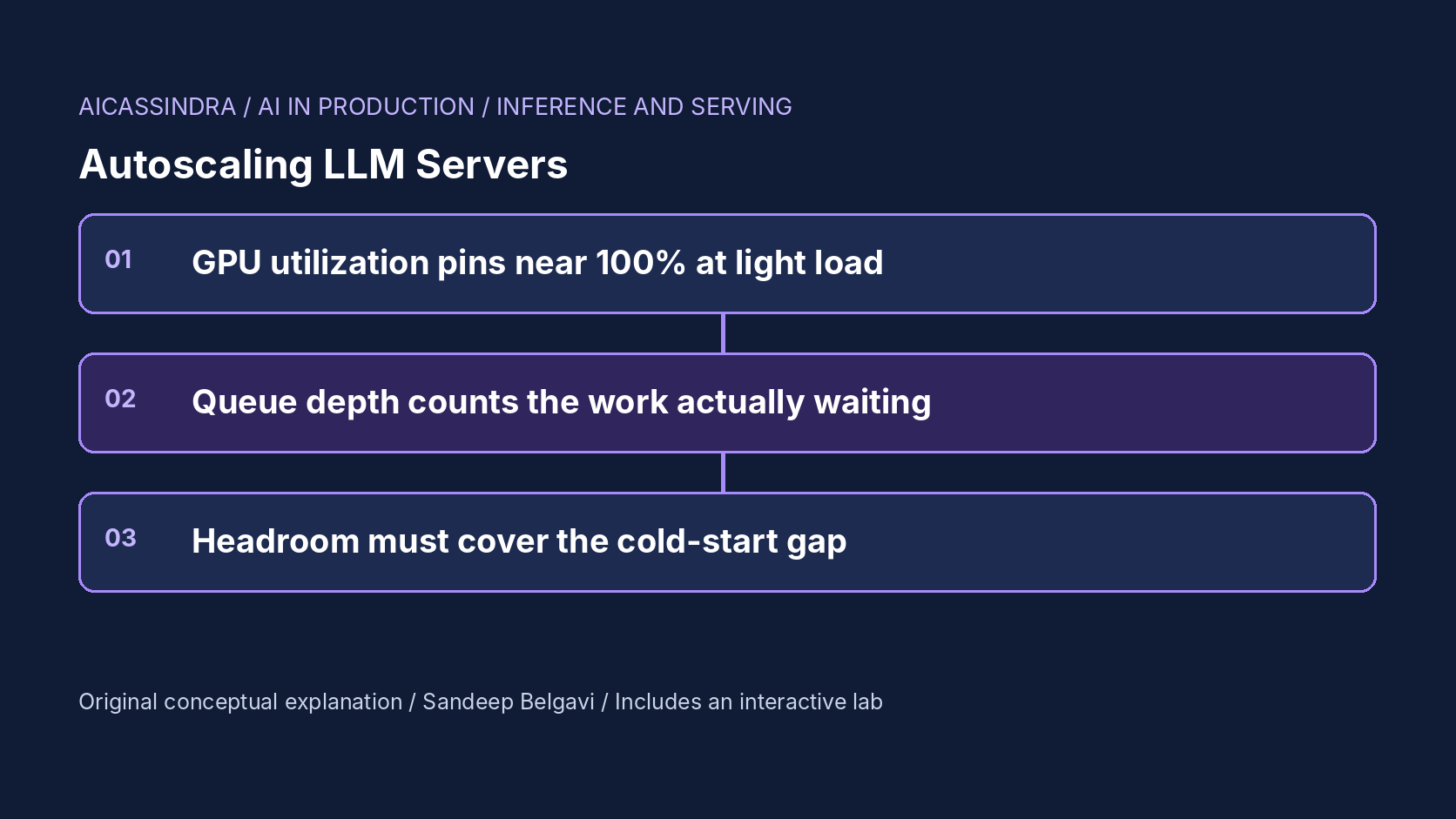
The default way to autoscale a web service is to pick a resource metric, set a target such as 70%, and let a controller add replicas when the metric climbs. Teams that apply the same recipe to an LLM server usually discover one of two failure modes within a week: the fleet scales straight to its maximum and stays there, or it never scales at all while time to first token climbs into tens of seconds. Both come from the same mistake. The usual GPU utilization metric does not measure how much of the GPU's capacity is in use.
This guide explains why utilization misleads for batched decoding, which signals do track load (queue depth as running plus waiting requests, KV cache usage, and with caveats request rate), how to pick a target from the step-time arithmetic, and how cold starts, metric windows and stabilization windows decide whether new capacity arrives before or after the users who needed it. The embedded lab runs twenty minutes of synthetic traffic against an autoscaled fleet so you can try each signal against spikes, longer answers and slow image pulls.
Why GPU utilization lies
The utilization number reported by nvidia-smi, NVML and the DCGM exporter is a time fraction: the percentage of the sample period during which at least one kernel was executing on the GPU. It does not say how many streaming multiprocessors were busy, how much memory bandwidth was used, or how many more sequences the batch could hold.
A decode loop launches kernels back to back. With one sequence in the batch, each step reads all the weights to produce one token, and kernels are running for nearly the whole step. With 64 sequences the step reads the same weights and produces 64 tokens. In the lab's step model (illustrative constants: 6 ms per step plus 0.25 ms per sequence), one sequence yields about 160 tokens per second and 64 sequences about 2,900, an 18x difference in useful work. Both read close to 100% utilization.
Feed that into a proportional controller and the result is predictable. Kubernetes' Horizontal Pod Autoscaler computes desired = ceil(current × metric / target). With a target of 70% and a metric that sits at 97% whenever any request is in flight, the ratio is always about 1.4, so every evaluation adds replicas until the maximum. Set the target to 95% instead and the ratio falls inside the default 10% tolerance, so the controller never acts and the fleet is effectively static. Neither setting tracks demand. Utilization is still worth graphing, because 0% means a replica is idle or broken, but it should not drive scaling. Newer DCGM profiling fields such as SM activity and tensor pipe activity are more informative, but they still describe hardware activity rather than requests waiting, so treat them as diagnostics.
Signals that measure work
A good scaling signal rises before latency degrades, is proportional to the capacity you need, and is cheap to collect. Four candidates are common:
| Signal | Example source | Strength | Weakness |
|---|---|---|---|
| GPU utilization | DCGM DCGM_FI_DEV_GPU_UTIL | Always available | Saturates at light load; not proportional to work |
| Requests per second per replica | Gateway or ingress metrics | Leads the queue; simple | Blind to tokens per request; needs retuning when prompts or answers change |
| Waiting requests per replica | vLLM vllm:num_requests_waiting | Zero exactly when capacity suffices | Says nothing about how much spare capacity exists, so scale-down is blind; reacts only once users already wait |
| Running plus waiting per replica | vllm:num_requests_running + waiting | Counts work in flight; adapts to output length | Needs a target below the batch limit to leave headroom |
| KV cache usage | vLLM KV cache usage gauge | Tracks memory pressure for long contexts | Jumps with prompt length; noisy for short chats |
Metric names differ across vLLM, SGLang, TGI and Triton releases and some have been renamed, so check the metrics page for your exact version before writing queries. The pattern that works best for interactive traffic is the fourth row, which this guide calls queue depth: the number of requests a replica is responsible for, whether decoding or waiting for a slot. It is the engine's own view of Little's law. When answers get longer, each request stays in flight longer, the count rises, and the autoscaler responds even though the request rate is flat. Google's GKE guidance for LLM inference makes a similar recommendation, using queue size for throughput-oriented workloads and batch size for latency-sensitive ones.
Choosing the target from step-time arithmetic
A queue-depth target is a statement about how full each replica should run. Picking it requires the relationship between concurrency, throughput and time per output token (TPOT). With the lab's illustrative step model:
| Sequences in flight | Step time (TPOT) | Tokens per second | Share of max throughput |
|---|---|---|---|
| 16 | 10 ms | 1,600 | 55% |
| 24 | 12 ms | 2,000 | 69% |
| 32 | 14 ms | 2,286 | 79% |
| 40 | 16 ms | 2,500 | 86% |
| 48 | 18 ms | 2,667 | 92% |
| 64 (batch limit) | 22 ms | 2,909 | 100% |
The table holds the most common surprise in LLM autoscaling. A target of 32 with a batch limit of 64 looks like 50% headroom, but because throughput grows sub-linearly with batch size, the replica can absorb only about 27% more tokens per second before it saturates. Slot headroom and throughput headroom are different quantities. Pick the target from three constraints: the TPOT SLO (a 16 ms TPOT bound rules out more than 40 in flight), the growth you must absorb while new capacity starts, and cost. Real step curves come from a load test of your model on your hardware, not from this table.
Cold starts set the headroom you need
An LLM replica is slow to start. The scheduler has to find a GPU node (possibly provisioning one), pull a container image that is often 10 GB or more, load weights (140 GB for a 70-billion-parameter model in 16-bit precision; at 2 GB/s from network storage that alone is 70 s), allocate the KV cache and capture CUDA graphs. One to several minutes is typical; ten minutes is not unusual when a new node must be provisioned. These figures are illustrative and vary enormously with storage and caching.
The total reaction time is the metric window plus the evaluation interval plus the cold start. With a 30 s averaging window, a 15 s evaluation period and a 60 s cold start, a replica requested because of a change at time zero serves its first token roughly 90 to 105 s later. During that gap the existing replicas must carry the extra load. That gives a sizing rule:
reaction_time = metric_window + eval_interval + cold_start   # 30 + 15 + 60 = ~105 s
headroom_needed ≈ demand_growth_rate × reaction_time

# gradual growth, 30 -> 50 req/s over 600 s: 0.033 req/s per second
#   growth during the gap ≈ 0.033 × 10⁵ ≈ 3.5 req/s, about 10% of capacity
# step change, 30 -> 75 req/s in 20 s, fleet sized for ~33 req/s:
#   deficit ≈ (75 - 33) req/s × ~90 s ≈ 3,800 requests queued before help arrives
No target value fixes a step change faster than the reaction time. For gradual growth, a lower target (more headroom) works. For known events such as a launch, a scheduled minimum replica count set before the event is the reliable answer; KEDA's cron scaler or a pipeline that patches minReplicas both work. For unknown spikes, faster cold starts (weights on local NVMe, pre-pulled images, a warm pool of stopped-but-loaded replicas) shrink the gap, and admission control or rate limiting protects the replicas you have.
Controller mechanics: windows, tolerance and flapping
The HPA algorithm has several details that matter more for slow-starting GPU pods than for stateless web pods. It averages the metric over the pods it can see, ignores changes within a tolerance (10% by default), and applies a scale-down stabilization window (300 s by default) during which it uses the highest recommendation seen, so a brief dip does not remove replicas. Scale-up has no stabilization by default. Behaviour policies limit how many pods may be added or removed per period. Check the documentation for your Kubernetes version; the behavior field and its defaults have evolved.
Three interactions cause most incidents. First, overshoot after a backlog: when a queue has formed, queue depth counts hundreds of waiting requests, so the controller asks for far more replicas than steady state needs, and they arrive after the backlog has drained. A per-period scale-up limit or a cap on the metric smooths this. Second, flapping on a waiting-only signal: an empty waiting queue recommends the minimum replica count, the stabilization window expires, replicas are removed, a queue forms, and slow cold starts guarantee the users in that queue miss their SLO. Third, draining: removing a replica that is streaming 40 responses either cuts them off or, with a proper termination grace period and a readiness probe that fails first, lets them finish. Set the grace period longer than your longest expected generation.
A KEDA configuration that scales on queue depth with a floor and a gentle scale-down might look like this. Field names follow recent KEDA releases; verify them against the version you run:
apiVersion: keda.sh/v1alpha1
kind: ScaledObject
metadata:
  name: chat-model
spec:
  scaleTargetRef:
    name: chat-model            # the Deployment running the inference server
  minReplicaCount: 3            # covers normal traffic without waiting for a cold start
  maxReplicaCount: 16
  pollingInterval: 15
  advanced:
    horizontalPodAutoscalerConfig:
      behavior:
        scaleDown:
          stabilizationWindowSeconds: 300
          policies:
          - type: Pods
            value: 1
            periodSeconds: 60
  triggers:
  - type: prometheus
    metadata:
      serverAddress: http://prometheus.monitoring:9090
      query: sum(vllm:num_requests_running{model_name="chat"}) + sum(vllm:num_requests_waiting{model_name="chat"})
      threshold: "32"          # in-flight requests per replica (average value)
A worked example: Belgavi's Book Store
Consider the hypothetical Belgavi's Book Store catalogue assistant, served by an 8-billion-parameter model on one GPU per replica, with a TTFT objective of 2 s for 99% of requests. Using the lab's model (all numbers calculated, not measured), daytime traffic grows from 30 to 50 requests per second over a few hours with mean answers of 240 tokens, so peak demand is about 12,000 output tokens per second.
The first deployment scales on GPU utilization at 70% and runs 16 replicas all day, a 20-minute bill of about $20.80 at an illustrative $4 per GPU-hour. Switching to running plus waiting with a target of 40 brings the average fleet to about five replicas and the bill to under $7 at the same attainment. A target of 48 is cheaper still but sits at 92% of a replica's throughput, leaving almost nothing for the minutes a new replica takes to start.
Two weeks later, a prompt change makes answers three times longer. An autoscaler configured on requests per second (8 per replica) sees no change and leaves the fleet alone; in the lab's version of this scenario, attainment collapses to about 27%. The queue-depth configuration sees each request occupy a slot three times longer and adds replicas on its own. Finally, a marketing launch is scheduled. The team raises the minimum to seven replicas for the launch window, because a 2.5x ramp in 20 s outruns any reactive controller with a 60 s cold start.
Detecting autoscaling problems in production
Put the scaling signal, ready replicas, desired replicas and TTFT percentiles on one dashboard with a shared time axis. The useful questions are visual: does the signal rise before TTFT does? Does the gap between desired and ready replicas (the cold-start gap) line up with SLO misses? Do replica counts oscillate with a period close to the stabilization window?
- Fleet pinned at maximum with low tokens per GPU: utilization or another saturating signal is driving scaling.
- TTFT spikes that end when replicas become ready: reaction time exceeds the growth rate; lower the target, raise the floor or speed up cold starts.
- Sawtooth replica count: waiting-only signal or a too-short stabilization window.
- Slow drift in SLO misses without traffic growth: work per request is growing (longer prompts or answers) under a request-rate signal.
- Errors at scale-down: streams cut off by termination; check grace periods and connection draining at the gateway.
Track cold start as its own metric, from pod creation to first served token, and alert when it regresses. A container image that grows by 5 GB quietly adds a minute to every scale-up.
Common mistakes
Copying web-service autoscaling defaults is the root of most problems: a 70% utilization target, a one-replica minimum and a short scale-down window are reasonable for stateless pods that start in seconds and ruinous for GPU pods that start in minutes. Setting the queue-depth target equal to the batch limit leaves no headroom at all. Scaling on request rate across endpoints with very different output lengths gives each one the wrong capacity. Treating the maximum replica count as a safety net hides runaway configurations behind a large bill. And load-testing the autoscaler with a constant request rate never exercises the cold-start gap; test with a ramp and a step.
How the lab missions map to this
The lab simulates a fleet of identical replicas behind a least-loaded router, evaluated by an HPA-style controller every 15 s on a 30 s average. The chart shows demand, ready capacity and the waiting queue, with replica tiles that pulse while a cold start is in progress. Mission one starts with a 70% GPU utilization target that has bought every GPU available and asks you to keep 99% attainment for under $8. Mission two injects a 2.5x launch spike and shows that no reactive setting survives it without a higher floor. Mission three makes answers three times longer at the same request rate, which defeats a request-rate target. Mission four asks you to stop a fleet that scales on waiting requests alone from flapping during slow image pulls, while keeping the bill under $4.60.
Run the lab: Autoscaling LLM replicas: pick the signal that sees the work
The chart below plays twenty minutes of synthetic traffic: the blue line is demand, the green line is the capacity of ready replicas, and the pink area is the waiting queue. Tiles on the right show replicas at the moving cursor, amber while they cold-start. Change the scaling signal first, then load mission one.
Prefer a full-width view? Open the standalone lab. Your stars are saved in this browser and shown on the series hub.
What to do next
- Remove GPU utilization from autoscaling triggers and keep it only as a health and idle-detection graph.
- Export running and waiting request counts from your inference server and graph them per replica next to TTFT percentiles.
- Load-test one replica to find tokens per second and TPOT at several concurrency levels, and set the queue-depth target from your TPOT SLO and growth headroom.
- Measure cold start from pod creation to first served token, and cut it with pre-pulled images, local weight caches or a warm pool.
- Set a minimum replica count that covers normal traffic, and schedule higher minimums before known launches.
- Configure scale-down stabilization and a per-period removal limit, plus a termination grace period longer than your longest generation.
- Test the autoscaler with a step change and a ramp, not only constant load.
Sources and further reading
- Kubernetes documentation: Horizontal Pod Autoscaling
- KEDA documentation: Prometheus scaler
- NVIDIA NVML API reference: nvmlUtilization_t
- Google Kubernetes Engine: best practices for autoscaling LLM inference workloads with GPUs
- Knative documentation: configuring concurrency
Related in this series:
- TTFT, TPOT and Goodput: Setting LLM Latency SLOs That Mean Something
- Continuous Batching Explained: Why Static Batches Leave GPUs Idle
- Token-Based Rate Limiting for LLM APIs: Buckets, Fairness and Priority Lanes
Diagrams, examples and the lab model are original educational material. Lab numbers are calculated by a synthetic model, not measured on real hardware or services.
Views are my own and do not represent any employer, past or present.