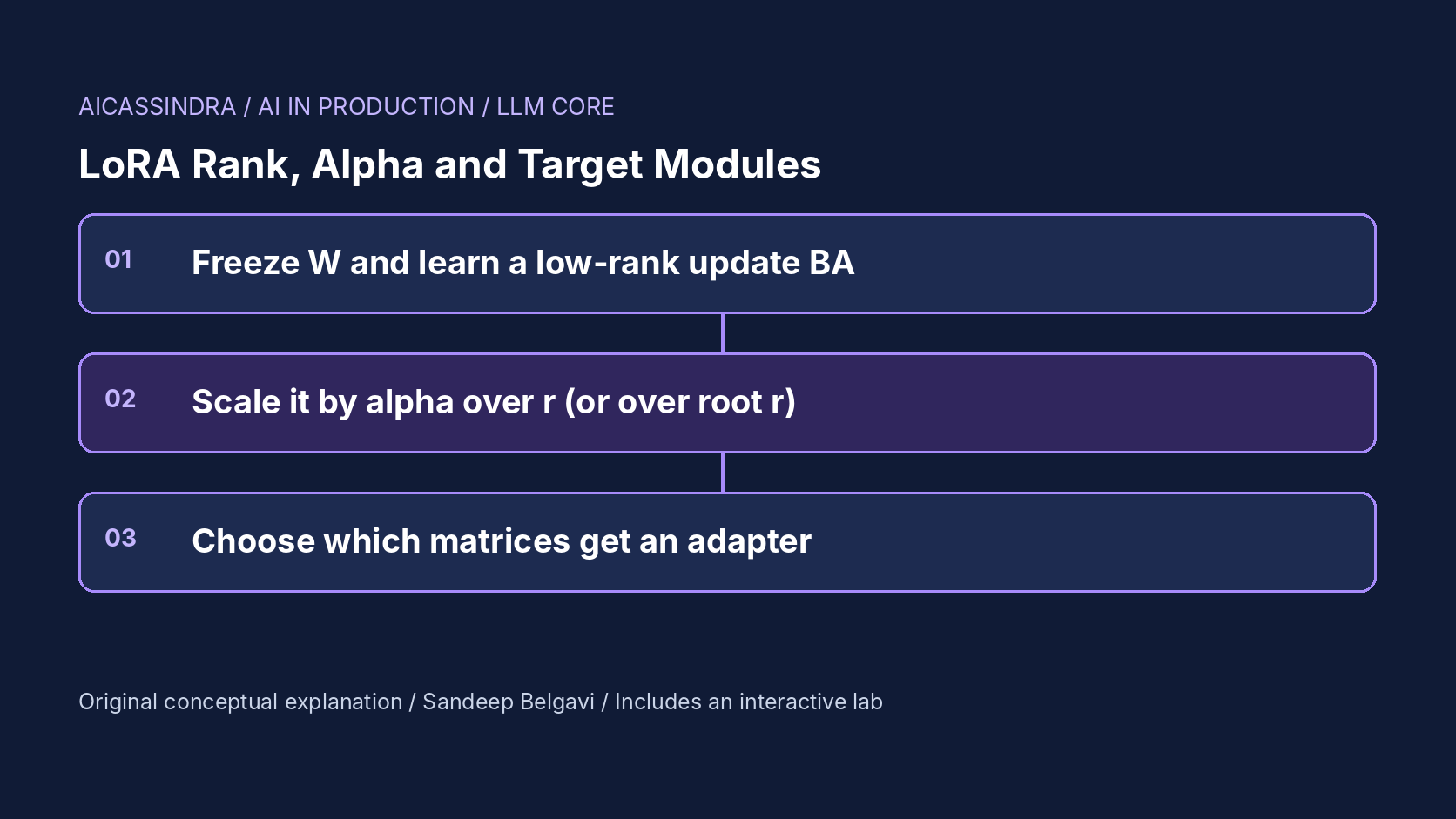
LoRA is the default way to fine-tune a large model on modest hardware, and most LoRA configs in the wild are copied from somewhere else: r=16, lora_alpha=32, attention projections only, or whatever the last tutorial used. Sometimes that works. Often the adapter plateaus below what full fine-tuning would reach, trains noticeably slower after someone "adds capacity" by raising the rank, or memorises a small dataset and gets worse on held-out prompts.
This guide explains the three settings that decide most of the outcome. It starts from the update LoRA actually learns, does the parameter and memory arithmetic for a 7B-class model, explains why alpha is a learning-rate multiplier in disguise and how rank-stabilised scaling changes that, and shows why the choice of target modules usually matters more than the rank. The embedded lab trains a synthetic adapter so you can see each effect on the directions it learns.
What LoRA learns: a low-rank correction to a frozen matrix
For a frozen weight matrix W of shape d_out × d_in, LoRA learns two small matrices and adds their product, scaled, to the output:
h = W x + (alpha / r) * B (A x)

A : r x d_in    initialised random (Kaiming or Gaussian)
B : d_out x r   initialised to zero, so training starts exactly at the base model
trainable parameters per matrix = r * (d_in + d_out)
The product BA has rank at most r. Any matrix can be written as a sum of rank-one pieces ordered by importance (its singular value decomposition), and the best rank-r approximation keeps the r largest. So a useful way to think about LoRA is: the fine-tuning update the task needs has some spectrum of directions, and the adapter can capture at most r of them in each matrix it is attached to. The original LoRA paper found that the updates needed for many tasks have a steeply decaying spectrum, which is why ranks as small as 1 to 8 often work, and why the method saves so much memory.
Because B starts at zero, the model is unchanged at step 0, and the first steps mostly grow B along the directions that A's random projection happens to expose. That bilinear start is one reason the effective learning speed depends on the scale factor, which we come back to below. After training, W + (alpha/r)BA can be merged into a single matrix, so a merged adapter adds no inference latency.
The arithmetic: parameters and memory for a 7B model
Take a Llama-2-7B-shaped model: hidden size 4,096, MLP size 11,008, 32 layers, four attention projections of 4,096 × 4,096 and three MLP projections of 4,096 × 11,008. Each attention projection costs r × 8,192 trainable parameters per layer and each MLP projection r × 15,104. (Models with grouped-query attention have smaller k_proj and v_proj, so recompute for your architecture.)
| Targets | Rank | Trainable params | Adapter file (bf16) | Adapter + Adam state |
|---|---|---|---|---|
| q, v | 8 | 4.2 M | 8 MB | 67 MB |
| q, k, v, o | 16 | 16.8 M | 34 MB | 268 MB |
| all linear | 16 | 40.0 M | 80 MB | 640 MB |
| all linear | 64 | 159.9 M | 320 MB | 2.6 GB |
The last column uses about 16 bytes per trainable parameter for weights, gradients, an fp32 master copy and two Adam moments; these are calculated figures. Even the largest row is a rounding error next to the frozen base model (about 13.5 GB in bf16, or roughly 4 GB with a 4-bit QLoRA base) and next to activation memory, which grows with batch size and sequence length and usually dominates. The practical consequence: rank barely moves your memory bill. It matters for other reasons: how many directions the adapter can learn, how fast it learns them under standard scaling, how much noise it can memorise, and, at serving time, the maximum adapter rank your inference server is configured for.
Alpha is a learning-rate multiplier
The output of the adapter is multiplied by alpha / r. With an optimizer like plain SGD that would simply rescale gradients, but almost everyone trains LoRA with Adam or AdamW, which normalises each parameter's step to roughly the learning rate regardless of the gradient's scale. Each step therefore changes A and B by about the learning rate, and the change in the model's effective weight is that step multiplied by alpha / r. In other words, under Adam, alpha and the learning rate are close substitutes: doubling alpha does roughly what doubling the learning rate does to the adapter's effective step.
That has an unpleasant side effect with the standard scaling. If you keep alpha fixed and raise the rank from 16 to 64, the scale drops from alpha/16 to alpha/64, a factor of four, and the adapter learns more slowly. Teams that raise the rank "for more capacity" and see quality drop on the same schedule are usually seeing this, not a capacity problem. The common heuristics, alpha equal to r or alpha equal to 2r, exist mostly to keep the scale constant as rank changes.
Rank-stabilised LoRA (rsLoRA) argues that dividing by r is the wrong normalisation: it shrinks the update too much at high rank, so larger ranks stop helping. It replaces the factor with alpha / sqrt(r), which keeps the learning dynamics stable as rank grows. In Hugging Face PEFT this is a single flag; if you turn it on, re-tune alpha or the learning rate, because the effective step changes at every rank except 1.
A practical consequence is that a learning-rate sweep and an alpha sweep are largely the same experiment, so do one of them, not both independently. Learning rates in the region of 1e-4 to 2e-4 are a common starting point for LoRA with AdamW, roughly ten times higher than typical full fine-tuning rates, precisely because the adapter's step is attenuated by the scale and by B starting at zero. Fix alpha by a rule (equal to r, twice r, or a constant with rsLoRA), sweep the learning rate, and keep warm-up and gradient clipping on so that an over-large effective step shows up as a loss spike you can see rather than a silent divergence.
from peft import LoraConfig

config = LoraConfig(
    r=16,
    lora_alpha=32,              # standard scale = 32 / 16 = 2.0
    target_modules="all-linear",  # or an explicit list: ["q_proj", "k_proj", "v_proj", "o_proj",
                                  #                      "gate_proj", "up_proj", "down_proj"]
    lora_dropout=0.05,
    use_rslora=False,           # True -> scale = lora_alpha / sqrt(r) = 8.0 here
    task_type="CAUSAL_LM",
)
# Parameter names and defaults change between PEFT releases: check your version's documentation.
Target modules usually matter more than rank
The original LoRA experiments adapted only the query and value projections, and that choice spread through many early tutorials. The same paper also reported that, for a fixed parameter budget, adapting more weight types with a smaller rank did better than adapting fewer with a larger rank. QLoRA went further and found that applying LoRA to all linear layers was the key to matching full 16-bit fine-tuning, with rank playing a secondary role.
The spectral view explains why. Rank buys more directions inside the matrices you adapt. If part of the update the task needs lives in the MLP projections, no amount of rank on q_proj and v_proj can put it there; the adapter can only approximate it indirectly through attention. Tasks differ in where the update lives. Style, format and tone changes tend to be expressible with small, attention-heavy updates. Injecting new domain facts or vocabulary tends to need the MLP, which is where much of a transformer's stored knowledge is thought to sit, and the required update is spread over more directions.
So the order of decisions is: first choose the modules (start with all linear layers unless you have a measured reason not to), then pick the smallest rank that reaches your quality target, then set alpha and the learning rate together. Embedding and output layers are a separate case: if the task adds new tokens, those layers usually need to be trained in full or listed in modules_to_save, because a low-rank update to the vocabulary rows of new tokens is a poor fit.
Too much rank: memorising the dataset
A larger rank lets the adapter express more directions, and with a small dataset many of the strongest directions in the training data are not the task at all: they are quirks of the few hundred examples you have, such as repeated phrasings, a template artefact or a single annotator's habits. A rank-64 adapter on 800 examples will happily learn them. Training loss keeps falling, held-out quality stalls or drops, and generations start to echo training examples.
LoRA does provide some protection. Because it constrains the update, it tends to change the base model less than full fine-tuning, which a 2024 study summarised as "LoRA learns less and forgets less": less gain on hard target-domain tasks, but less loss on the source-domain capabilities you were not training. That protection weakens as rank grows. The remedies are the usual ones for overfitting, applied deliberately: a smaller rank, fewer epochs, LoRA dropout, more and more varied data, and early stopping on a held-out set rather than on training loss.
Detecting a bad LoRA config in production
Most LoRA problems show up in a handful of signals, if you log them:
| Symptom | Likely cause | First thing to try |
|---|---|---|
| Quality plateaus early, training loss also flat | Update needed in modules you did not target | Target all linear layers at the same rank |
| Raising rank made results worse on the same schedule | Standard alpha/r scale shrank the effective step | Scale alpha with r, or use rsLoRA, or raise the learning rate |
| Training loss falls, held-out loss rises after an epoch | Rank or epochs too high for the data | Lower rank, fewer epochs, dropout, more data |
| Loss spikes, gradient norm jumps | Effective step (learning rate times scale) too large | Lower alpha or learning rate, add warm-up, clip gradients |
| Fine in the notebook, wrong in serving | Server rank limit, adapter not loaded, or base mismatch | Check the server's max adapter rank and the exact base checkpoint |
The serving row deserves a note. Multi-adapter servers allocate buffers for a maximum rank; vLLM, for example, has an option for the maximum LoRA rank it will accept and limits on how many adapters are resident on the GPU and in CPU memory. An adapter above the configured rank is rejected, and a server configured for a much higher rank than you use wastes memory. Check your server version's documentation for the exact flags and defaults. Also confirm that the adapter was trained against exactly the base checkpoint (and quantisation) that the server loads; a QLoRA adapter applied to a differently quantised base is a subtle source of quality loss.
A worked example: Belgavi's Book Store
The hypothetical Belgavi's Book Store wants two adapters on a 7B base. The first rewrites product descriptions in the shop's house style: 12,000 examples, mostly a change of tone and structure. The second teaches the model the shop's internal catalogue taxonomy and edition rules: only 900 curated examples, and the knowledge is new to the base model.
For the style adapter, the team starts with all linear layers at r=8, alpha=16: about 20 M trainable parameters and a 40 MB adapter file. Held-out style scores match a rank-32 run within noise, so they keep rank 8, which also leaves room to serve several adapters side by side.
For the taxonomy adapter, an attention-only run at rank 16 plateaus far below the target, because the facts need the MLP. Switching to all linear layers and raising the rank to 32 helps, but by the second epoch held-out accuracy drops while training loss keeps falling: 900 examples are not enough to fill 80 M parameters with signal. The fix is in the data and the schedule as much as the rank: rank 16, one to two epochs with early stopping, LoRA dropout, and 2,000 more examples generated from the taxonomy itself and reviewed by staff. When they later try rank 64 for a merged multi-task adapter, they double alpha with every doubling of rank so the effective step stays the same. Every figure here is illustrative.
Common mistakes, and how the lab maps to them
The recurring mistakes are: copying target_modules=["q_proj","v_proj"] from an old tutorial for a knowledge-heavy task; raising rank without touching alpha and concluding that more rank hurts; choosing rank by "bigger is safer" on a few hundred examples; tuning alpha and learning rate independently as if they were unrelated; switching on rsLoRA or DoRA without re-tuning; and evaluating only on training loss. A less obvious one is comparing configurations at a fixed number of steps when they learn at different speeds, which rewards the fastest learner rather than the best.
The lab models an adapter on seven projection matrices of a 7B-shaped model. Mission one starts with q and v only and asks for a quality target with as few parameters as possible. Mission two switches on a new-domain task whose update lives in the MLP. Mission three gives you a small noisy dataset and a rank-64 adapter that memorises it. Mission four keeps rank 64 for the new-domain task but puts you on a short schedule, so you have to fix the scaling rather than the capacity.
Run the lab: LoRA tuning bench: rank, alpha and where to put them
The lab trains a synthetic LoRA adapter on seven projection matrices. Each tile shows the first 20 directions of the update that matrix needs (grey outlines) and how much of each the adapter has learned (blue fill, amber where it overshoots); a red bar on the right of a tile shows energy spent on noise directions that exist only in the training data. Frozen modules are dimmed. The chart tracks held-out quality and memorised noise over training. Start with the default attention-only adapter, then load mission one.
Prefer a full-width view? Open the standalone lab. Your stars are saved in this browser and shown on the series hub.
What to do next
- Write down the exact target modules, rank, alpha, scaling mode and learning rate of every adapter in production, next to the base checkpoint it was trained on.
- Re-run your main adapter with target_modules set to all linear layers at the same rank and compare held-out quality, not training loss.
- When you change rank, change alpha in proportion (or enable rsLoRA and re-tune), and compare runs at convergence rather than at a fixed step count.
- For datasets under a few thousand examples, sweep ranks 4, 8 and 16 with early stopping on a held-out split before trying anything larger.
- Check your inference server's maximum adapter rank and resident-adapter limits against the adapters you plan to deploy.
- Add one evaluation of general capability that the adapter was not trained on, to catch forgetting as rank and epochs grow.
Sources and further reading
- LoRA: Low-Rank Adaptation of Large Language Models
- QLoRA: Efficient Finetuning of Quantized LLMs
- A Rank Stabilization Scaling Factor for Fine-Tuning with LoRA (rsLoRA)
- LoRA Learns Less and Forgets Less
- Hugging Face PEFT documentation: LoRA
- vLLM documentation: LoRA adapters
Related in this series:
- From RLHF to DPO and GRPO: How Preference Training Reshapes a Model
- Why INT4 Breaks Some Layers: Outliers, Group Size and Activation-Aware Scaling
- Compute-Optimal Model Sizing: Applying Chinchilla Scaling Laws to a Real Budget
Diagrams, examples and the lab model are original educational material. Lab numbers are calculated by a synthetic model, not measured on real hardware or services.
Views are my own and do not represent any employer, past or present.