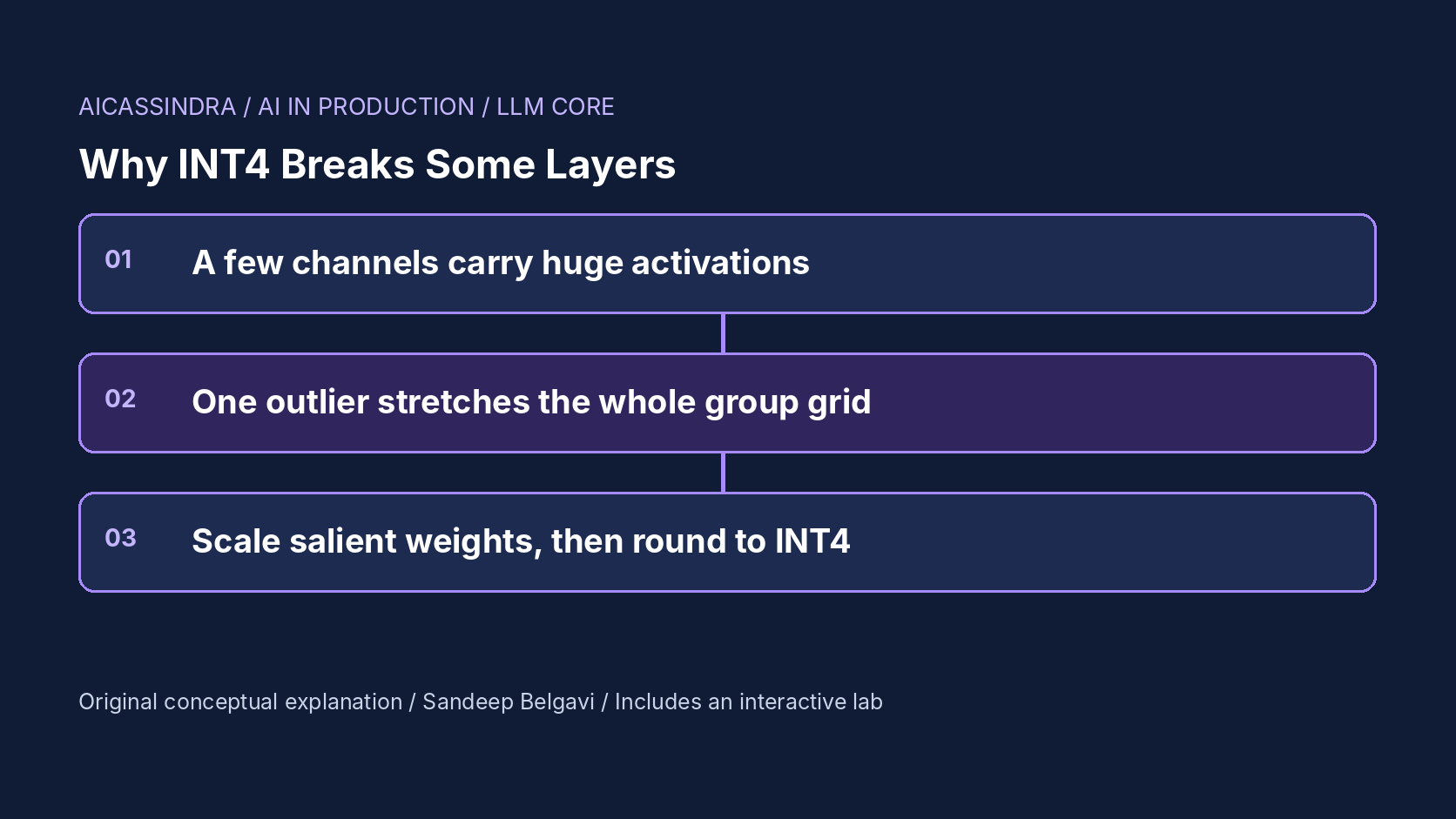
Four-bit weights are how most teams fit a 7B or 70B model onto the GPU they can afford. A 7B model drops from about 13.5 GB in FP16 to under 4 GB, decode gets faster because each step reads fewer bytes, and on most benchmarks the quality loss is small. Then a particular checkpoint quantizes badly, or one task regresses sharply, and per-layer diagnostics show the damage concentrated in a handful of layers while the rest are fine.
This guide explains why. It works through the rounding arithmetic of INT4 with shared scales, shows how one outlier weight or one outlier activation channel can dominate a layer's error, and explains what group size, zero points and activation-aware scaling (the idea behind AWQ, related to SmoothQuant) each fix. It then covers the knobs in real toolchains, how to detect a broken layer before users do, and a worked size budget. The embedded lab quantizes seven synthetic layers so you can see each effect.
The arithmetic of a 4-bit grid
Weight-only INT4 replaces each weight with one of 16 levels and stores a scale (and optionally a zero point) shared by a group of weights. In the symmetric form the scale is set by the largest magnitude in the group:
scale  = max(|w| in group) / 7                 # levels -8 .. 7
q      = clamp(round(w / scale), -8, 7)
w_hat  = q * scale

rounding error per weight ~ uniform(-scale/2, +scale/2)
RMS error = scale / sqrt(12)
Now plug in numbers. For a group of 128 roughly Gaussian weights with standard deviation σ, the largest magnitude is typically around 2.7 to 3σ, so the step is about 0.4σ and the RMS rounding error is about 0.12σ: roughly 12% of a typical weight. That sounds large, but errors on independent weights partly cancel in a dot product, and the model tolerates a surprising amount of this noise. This is the regime where INT4 "just works".
Now put one outlier weight of 8σ in the group. The step becomes 8σ / 7, about 1.1σ, and the RMS error on the other 127 weights roughly triples. One value has degraded the precision of everything that shares its scale. With one scale per output row (per-channel quantization) across 4,096 inputs, the chance that a row contains some large value is close to certain, which is why per-channel INT4 tends to fail and grouped INT4 became the default.
| Scheme (4-bit) | Stored per group | Bits per weight | 7B linear weights |
|---|---|---|---|
| Per channel (row of 4,096) | FP16 scale | ~4.00 | ~3.2 GB |
| Group 128, symmetric | FP16 scale | 4.125 | ~3.3 GB |
| Group 128, with zero point | FP16 scale + 4-bit zero | ~4.16 | ~3.4 GB |
| Group 32, with zero point | FP16 scale + 4-bit zero | ~4.63 | ~3.7 GB |
These are calculated figures for about 6.5 billion linear-layer parameters; embeddings and the output head are often kept in 16-bit and add roughly another 0.5 GB for a 7B model. Smaller groups buy precision with metadata: halving the group size doubles the scale overhead.
Why some layers break: outlier activation channels
Weight error only matters through the layer's output. For one output, y = Σ x_j w_j and the quantization error is e = Σ x_j δ_j, where δ_j is the rounding error of weight j. If the rounding errors are independent, the expected squared error is Σ x_j² · var(δ_j). Every input channel contributes in proportion to the square of its activation.
Large transformers have a small number of hidden dimensions whose activations are consistently tens of times larger than the rest. The LLM.int8() work documented these emergent outlier features as models grew past a few billion parameters; later work found that some channels and tokens reach far larger "massive" values. If one channel is 40 times larger than a typical one, it contributes 1,600 times as much to the output error per unit of weight error. A few such channels can dominate the whole layer, so the precision of the few weights that meet them, a tiny fraction of the matrix, decides the layer's quality.
This explains the pattern teams see. Layers whose inputs carry strong outliers (in many decoder models the MLP down-projection, whose input is the wide intermediate activation, is a frequent offender, though it varies by architecture and checkpoint) show output errors several times larger than layers fed by well-behaved activations. Average reconstruction error across the model looks acceptable while one layer type is quietly broken.
Weight-only quantization does not touch the activations, but it still suffers from them, because they act as a magnifying glass on specific weight columns. Activation quantization (W8A8 or W4A4) suffers more directly: a per-tensor or per-token activation scale is set by the outlier channel, and every other channel is squeezed onto a few levels. SmoothQuant addresses that case by migrating scale from activations into weights.
Activation-aware scaling: protect the weights that matter
AWQ (activation-aware weight quantization) uses one observation: the salient weights are the ones on high-activation input channels, and you can give them more effective precision without mixed-precision storage. Multiply column j of the weight by s_j > 1 before quantizing and divide the corresponding activation by the same factor (the division folds into the previous operation, such as a norm or the previous layer, so it is free at inference). The product is unchanged in exact arithmetic, but after rounding the error on that weight shrinks by roughly s_j, as long as the scaled weight does not become the group's new maximum.
s_j = mean(|x_j| over calibration tokens) ** alpha        # alpha in [0, 1]
W'  = W * diag(s)          ;   x' = x / s   (folded into the previous op)
choose alpha per layer by grid search to minimise || X W^T - X Q(W')^T diag(1/s) ||

alpha = 0   : plain round-to-nearest
alpha ~ 0.5 : typical sweet spot
alpha -> 1  : protected weights grow until they set the group maximum
              and crush the precision of their neighbours
The trade-off in alpha is visible in the lab: as it rises, error in the outlier-heavy layer falls, then error in other layers starts to rise because the scaled-up weights stretch their groups' grids. AWQ searches alpha per layer on a small calibration set (and also searches a clipping range for the weights), which is why it needs calibration data but no backpropagation. GPTQ takes a different route: it quantizes weights column by column and uses second-order information from calibration activations to adjust the remaining weights to compensate. Both are calibration-based, and both inherit whatever the calibration set says about which channels matter.
Zero points, clipping and the other cheap fixes
A symmetric grid wastes levels when a group's weights are not centred: if the group spans -0.2 to +1.0, half of the negative levels are never used. An asymmetric grid stores a zero point and maps the 16 levels onto the actual minimum and maximum, which for skewed groups is a cheap, sizeable improvement. At group 128 the zero point costs about 0.03 bits per weight.
Clipping is the other cheap lever. Setting the group's range slightly inside its true maximum increases error on the extreme weight but reduces it for all the others; AWQ and several other methods search the clip ratio per layer. Finally there is the blunt fix: keep a sensitive layer in 8-bit or 16-bit. Mixed precision works, but because MLP projections are a large share of a model's parameters, keeping even one of them at 8 bits costs a lot of the memory you were trying to save. In a 7B model the down-projection alone is roughly a fifth of the linear weights, so keeping it in 8-bit moves the average from about 4.1 to about 5 bits per weight.
Calibration data is part of the model
Activation-aware methods choose their scales from statistics collected on a calibration set, commonly a few hundred samples of generic web or book text. That is fine when deployment traffic activates the same channels. It is not guaranteed. A model calibrated on English prose and deployed mostly on code, tables, a different language or very long contexts can light up channels that were quiet during calibration. Those channels get no protection, and the layers they feed degrade in exactly the traffic that matters to you.
The fix is unglamorous: include samples that look like your production prompts in the calibration set, keep that set under version control next to the quantized artefact, and re-run your task evaluation (not only perplexity on generic text) whenever either the traffic mix or the calibration set changes. Mission three in the lab reproduces this failure: a traffic shift makes new outlier channels appear, and the scales fitted to generic text no longer protect the right weights.
What INT4 buys at serving time
The quality question only matters because the payoff is large. Single-stream decode is memory-bandwidth bound: every step streams all the weights from memory. Reading about 3.9 GB instead of 13.5 GB per step cuts the floor on time per output token by roughly 3.5 times on the same GPU, before dequantization overhead. Dedicated mixed-precision kernels (vLLM ships several, such as Marlin-based ones, for GPTQ and AWQ checkpoints) unpack the 4-bit values and apply the group scales on the fly inside the matrix multiply, so the saving survives in practice at small batch sizes.
At large batch sizes the picture changes. Decode becomes more compute bound, the dequantization work is repeated for every step, and weight-only INT4 can lose some or all of its speed advantage against FP16 or FP8 kernels; the freed memory is still useful, because it becomes KV cache capacity. Group size also interacts with kernels: very small groups mean more scales to load and apply, and some kernels support only specific group sizes. Benchmark the exact kernel, batch size and context length you serve rather than relying on a headline speed-up.
Real knobs and how to detect a broken layer
The common toolchains expose the same small set of choices; names and defaults move between releases, so check your version's documentation:
| Choice | Where you set it (examples) | Typical values |
|---|---|---|
| Method | llm-compressor recipes, Transformers GPTQConfig / AwqConfig, pre-quantized checkpoints | AWQ or GPTQ for weight-only INT4; SmoothQuant for W8A8 |
| Bits and group size | bits, group_size (sometimes q_group_size) | 4-bit, group 128; group 32 or 64 for fragile models |
| Zero point | sym or zero_point | Asymmetric is common for AWQ |
| Skipped layers | ignore or exclude lists (e.g. lm_head) | Output head and embeddings often left in 16-bit |
| Serving kernel | vLLM --quantization, TGI --quantize | Usually auto-detected from the checkpoint config |
Detection should happen before deployment and continue after it. Offline, register forward hooks and record, for each linear layer, the relative output error between the FP16 and quantized layer on a sample of real prompts; rank layers by it. A healthy model shows a narrow band; a broken one shows one layer type far above the rest. Record the per-channel activation maxima on the same prompts and keep them; they tell you which channels matter and whether production traffic matches calibration. Online, compare task metrics of the quantized endpoint with a small FP16 shadow on sampled traffic, and segment by traffic type, because a regression confined to code or long documents disappears in an average.
A worked example: Belgavi's Book Store
The hypothetical Belgavi's Book Store wants to run a 7B assistant on an edge box with 6 GB of accelerator memory. After reserving about 2 GB for the KV cache and runtime, the weights must fit in about 3.5 GB.
FP16 needs 13.5 GB, so quantization is mandatory. Grouped INT4 at group 128 with a zero point costs about 4.16 bits per weight: 6.5 billion linear parameters times 4.16 bits is about 3.4 GB, plus about 0.5 GB for a 16-bit embedding and output head, roughly 3.9 GB in total. It does not fit. Keeping the down-projection in 8-bit makes it worse. The options are 3-bit weights with small groups (group 32 with a zero point costs about 3.6 bits per weight, roughly 2.9 GB plus 0.5 GB, so about 3.4 GB), quantizing the output head as well, or a smaller model.
At 3 bits there are only eight levels, so every protection matters at once: small groups, zero points, activation-aware scales fitted on prompts that look like the shop's catalogue questions, and a per-layer error report to confirm no layer has broken. The team accepts the 3-bit model only after its accuracy on 500 held-out catalogue questions stays within an agreed margin of the FP16 model; otherwise they move to a smaller base model at 4 bits. All numbers here are calculated for illustration.
Common mistakes, and how the lab maps to them
The usual mistakes: judging a quantized model only by perplexity on generic text; quantizing with per-channel scales because the file is smaller; calibrating on a dataset unrelated to production; assuming that because one checkpoint of a family quantized well, a fine-tuned derivative will too (fine-tuning can create new weight outliers); comparing bit widths without counting scale and zero-point overhead; and keeping whole sensitive layers at high precision without checking what it does to the memory budget.
In the lab, mission one starts with per-channel INT4 and asks you to fix the worst layer, which teaches what group size buys and costs. Mission two keeps group 128 and asks you to protect the outlier-facing weights with activation-aware scaling and a zero point. Mission three shifts the traffic so that calibration statistics go stale. Mission four is the size budget above: fit the model into 3.5 GB while keeping estimated perplexity close to FP16.
Run the lab: INT4 under pressure: groups, outliers and AWQ-style scaling
The lab quantizes seven synthetic linear layers that mimic one transformer block of a 7B model. Top left, the bars show the mean activation per input channel of down_proj: a few red spikes are outlier channels. Below, one quantization group is drawn as dots on its 4-bit grid, with amber ticks showing how far each weight moves when rounded; red dots are weights on outlier channels. On the right, each bar is a layer's output error. Start with the defaults, cycle through the groups, then load mission one.
Prefer a full-width view? Open the standalone lab. Your stars are saved in this browser and shown on the series hub.
What to do next
- For your quantized model, record per-layer relative output error against FP16 on a few hundred real prompts and list the five worst layers.
- Log per-channel activation maxima on production-like prompts and compare them with the calibration set's statistics.
- Rebuild the calibration set to include samples of your actual traffic (code, tables, languages, long contexts) and re-quantize.
- Compute real bits per weight including scales, zero points and any 16-bit layers before comparing formats or sizing hardware.
- Evaluate the quantized model on your task metrics segmented by traffic type, not only on generic perplexity.
- Re-run the whole check whenever you quantize a new fine-tuned checkpoint, even if its base model quantized well.
Sources and further reading
- AWQ: Activation-aware Weight Quantization for LLM Compression and Acceleration
- GPTQ: Accurate Post-Training Quantization for Generative Pre-trained Transformers
- LLM.int8(): 8-bit Matrix Multiplication for Transformers at Scale
- SmoothQuant: Accurate and Efficient Post-Training Quantization for Large Language Models
- vLLM documentation: quantization
- Hugging Face Transformers documentation: quantization overview
Related in this series:
- LoRA Rank, Alpha and Target Modules: Choosing Settings That Actually Work
- Compute-Optimal Model Sizing: Applying Chinchilla Scaling Laws to a Real Budget
- KV Cache Capacity Planning: How Many Concurrent Users Fit on One GPU
Diagrams, examples and the lab model are original educational material. Lab numbers are calculated by a synthetic model, not measured on real hardware or services.
Views are my own and do not represent any employer, past or present.