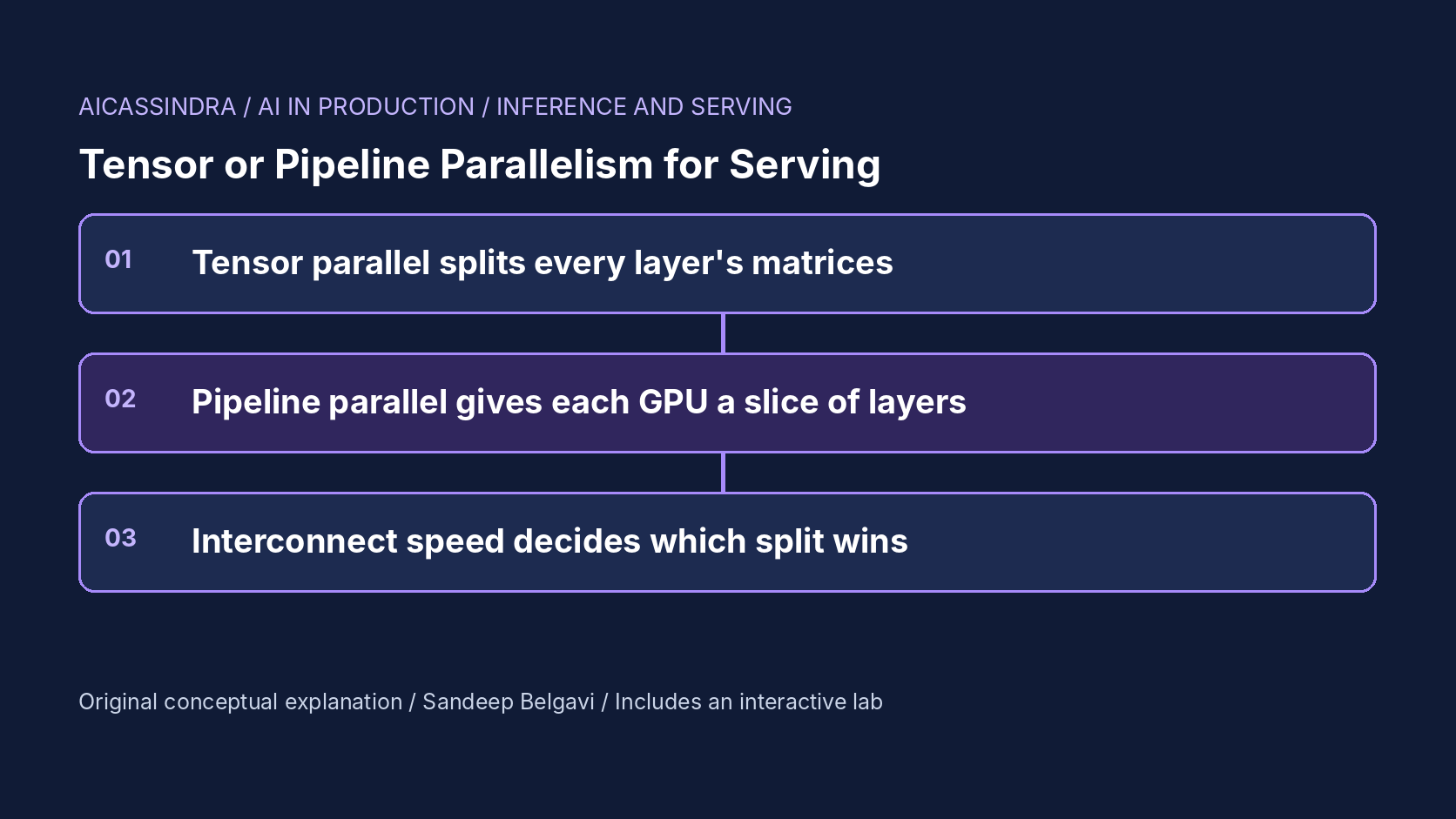
A 70-billion-parameter model in 16-bit precision needs about 140 GB for its weights, more than any single 80 GB accelerator holds, and that is before the KV cache that makes serving possible. The model has to be split. Serving engines offer two basic ways to do it: tensor parallelism, which cuts every layer's weight matrices across GPUs, and pipeline parallelism, which gives each GPU a contiguous slice of layers. The choice changes time per output token, prefill latency, throughput and how much the interconnect matters, and picking the wrong one can make eight expensive GPUs slower than four.
This guide derives both strategies from what a decode step actually does: read weights, compute, and communicate. It works through the memory arithmetic, the cost of all-reduce on NVLink and PCIe, pipeline bubbles, multi-node layouts, and the knobs in vLLM, SGLang, TensorRT-LLM and TGI. The embedded lab draws one replica as a GPU timeline so you can see compute, all-reduce and idle time for any split.
What a decode step costs
Generating one token for a batch of sequences means running every layer once. For a dense model at modest batch sizes, the step is dominated by reading the weights from high-bandwidth memory: every parameter is read once per step regardless of batch size. With 140 GB of weights and an effective 2.5 TB/s of memory bandwidth (an illustrative figure for a current data-centre GPU), one step on one GPU would take about 56 ms, if the weights fitted. Compute is small by comparison: about 2 floating-point operations per parameter per sequence, so a batch of 32 needs roughly 4.5 TFLOP, a few milliseconds at realistic throughput.
Prefill is different. Processing a 2,000-token prompt through a 70B model costs about 2 × 70e9 × 2,000 = 2.8e14 FLOP, which is compute bound: roughly 0.47 s on one GPU at an effective 600 TFLOP/s. Splitting a model therefore has two jobs. It must make the weights fit, and it should divide the per-token weight reads (decode) and the per-prompt compute (prefill) across GPUs without adding more communication than it saves.
Tensor parallelism: every GPU holds a slice of every layer
Tensor parallelism, as described in the Megatron-LM paper, splits each attention block by heads and each MLP by columns then rows, so that each GPU holds 1/TP of every weight matrix. Each GPU computes its partial result for every token, and after the attention output projection and after the MLP down projection the partial results are summed with an all-reduce. That is two all-reduces per layer, every step, on the critical path.
The benefit is direct: weight reads per GPU fall by TP, so the memory-bound part of a decode step falls by TP. With TP 8 the 56 ms becomes 7 ms. The cost is the all-reduces. Each one moves the activations for the batch (batch × hidden size × 2 bytes) and has a fixed latency. Using the lab's illustrative constants for a 70B model with hidden size 8,192 and a batch of 32:
# one all-reduce of 32 × 8192 × 2 bytes = 524 KB, ring algorithm over n = 4 GPUs
NVLink-class (300 GB/s, ~3 µs per step):  2 × 3/4 × 524 KB / 300 GB/s + ~12 µs ≈ 15 µs
PCIe only    (20 GB/s, ~25 µs per step):  2 × 3/4 × 524 KB /  20 GB/s + ~100 µs ≈ 140 µs

# 80 layers × 2 all-reduces = 160 per token
NVLink: 160 × 15 µs  ≈  2.4 ms  per token
PCIe:   160 × 140 µs ≈ 22   ms  per token  (half of the 42 ms TP 4 saves on weight reads: 56 -> 14 ms)
On a node with a fast GPU-to-GPU fabric, tensor parallelism is the best way to cut time per output token. On PCIe, or across nodes over a network, the all-reduces can cost more than the weight reads they save. In the lab, TP 8 on a PCIe-only server spends over 80% of each token in all-reduce at load. Tensor parallelism also has a structural limit: you can only split as far as the layer allows. Attention heads must divide evenly, and when TP exceeds the number of key-value heads (8 in many grouped-query attention models), engines replicate KV heads, so KV cache memory per GPU stops shrinking.
Pipeline parallelism: each GPU holds a slice of layers
Pipeline parallelism assigns layers 1 to 20 to the first GPU, 21 to 40 to the second, and so on. Between stages only the activation for the current micro-batch crosses the link, once per stage boundary per token, so communication is tiny and tolerant of slow links. That makes pipeline parallelism the natural way to span nodes.
The catch is that the stages run in sequence for any given token. A token must pass through stage 1, then stage 2, then stage 3. Each stage reads only its share of the weights, but the stages add up, so the time per output token for one sequence is about the same as on a single GPU with all the weights: in the lab, TP 1 × PP 8 for a 70B model gives about 62 ms per token, while TP 8 × PP 1 gives about 10 ms. Pipeline parallelism adds memory capacity and throughput, not single-sequence speed.
Throughput comes from keeping all stages busy with different micro-batches at once. If the scheduler splits the running batch into at least PP micro-batches, stage 1 works on micro-batch 2 while stage 2 works on micro-batch 1, and every GPU is busy. If there are fewer micro-batches than stages, some stages sit idle: the pipeline bubble. GPipe's analysis for training gives a bubble fraction of (p − 1) / (m + p − 1) for p stages and m micro-batches; in decode the same intuition holds, and low traffic (few sequences in flight) makes the bubble worse exactly when you would like latency to be best.
Side by side
| Property | Tensor parallel (TP) | Pipeline parallel (PP) |
|---|---|---|
| What is split | Every weight matrix | Layers into consecutive stages |
| Weight memory per GPU | 1/TP | 1/PP |
| Decode time per token | Falls by about TP, plus all-reduce cost | Roughly unchanged; stages run in sequence |
| Prefill latency | Falls by about TP, plus larger all-reduces | Roughly unchanged for one prompt |
| Communication | 2 all-reduces per layer per step | 1 point-to-point send per stage boundary per micro-batch |
| Interconnect needed | Fast, low latency (NVLink-class, within a node) | Tolerant (PCIe, inter-node network) |
| Idle time | Waiting on all-reduces | Bubbles when micro-batches < stages |
| Limit | Head counts, hidden size divisibility | Layer count; uneven stages create stragglers |
The rule that falls out, and the one large training systems use (Narayanan et al., 2021), is: tensor parallelism inside a node, pipeline parallelism across nodes, and replicas (data parallelism) for everything beyond what the model needs to fit and meet its latency target.
Memory arithmetic: weights, KV cache and headroom
A split must leave room for the KV cache, because the KV cache determines how many sequences each replica can run. For a 70B model with 80 layers, 8 KV heads of dimension 128 and 16-bit cache, each token needs 2 × 80 × 8 × 128 × 2 bytes ≈ 0.33 MB of KV cache. A 2,300-token context needs about 750 MB per sequence. The cache divides across TP (by heads, up to the KV head count) and across PP (by layers).
# illustrative: 70B BF16 on 4 GPUs with TP 4, 80 GB per GPU, 90% usable, 4 GB runtime overhead
weights per GPU   = 140 GB / 4                    = 35 GB
free for KV       = 72 - 4 - 35                   = 33 GB
KV per sequence   = 0.33 MB × 2,300 / 4           ≈ 188 MB per GPU
max sequences     = 33,000 / 188                  ≈ 175 per replica

# the same model on 2 GPUs with TP 2: weights 70 GB per GPU -> does not fit
# with FP8 weights on 2 GPUs: 35 GB per GPU -> fits, but each GPU now holds half of every
#   sequence's cache instead of a quarter: ~376 MB per sequence -> about 88 sequences per replica
Quantising weights to 8 bits halves weight memory and weight reads, which is why FP8 on fewer GPUs is often the cheapest way to serve a 70B model if its quality holds on your evaluation. Long prompts change the balance: at 8,000 tokens each sequence needs four times the cache, so a split that fits comfortably at 2,000 tokens may run only a handful of sequences per replica.
The knobs in real engines
Every major engine exposes the same two numbers; check flag names and multi-node requirements for your exact version.
- vLLM:
--tensor-parallel-sizeand--pipeline-parallel-size; multi-node deployments typically use Ray or the engine's multi-node launcher, and the documentation recommends TP within a node and PP across nodes. - SGLang:
--tp-sizefor tensor parallelism plus data-parallel options; pipeline support has been added in recent releases. - TensorRT-LLM: tensor and pipeline parallel sizes are set when building or loading the engine.
- Text Generation Inference:
--num-shardsets tensor-parallel sharding.
# illustrative launches; check your engine version's docs for exact flags
# 70B on one 8-GPU NVLink node: two replicas of TP 4 behind a load balancer
vllm serve <70b-model> --tensor-parallel-size 4 --port 8000   # GPUs 0-3
vllm serve <70b-model> --tensor-parallel-size 4 --port 8001   # GPUs 4-7

# 405B across two 8-GPU nodes: TP inside each node, PP across them
vllm serve <405b-model> --tensor-parallel-size 8 --pipeline-parallel-size 2
Expert-parallel and data-parallel attention options for mixture-of-experts models add further dimensions; the same principle applies, putting the most communication-heavy split on the fastest link.
A procedure for choosing a split
The options multiply quickly (TP, PP, replicas, precision, GPU type), but a short procedure prunes most of them:
- Find the minimum footprint. Divide weight memory by usable memory per GPU, leaving room for runtime overhead and a useful KV cache (at least enough for your target concurrency at p95 context length). That gives the smallest TP × PP that can work, for each precision you are willing to use.
- Fill a fast-link domain with TP first. Within a node that has an NVLink-class fabric, try TP equal to the minimum footprint and the next power of two above it. On PCIe-only servers, prefer the smallest TP that fits and consider PP inside the box.
- Use PP only to cross a slow boundary. If the model does not fit in one node, add pipeline stages across nodes rather than extending TP over the network.
- Spend remaining GPUs on replicas. Each extra replica adds capacity without adding communication. Compare one large replica with several smaller ones at your peak load and your latency target.
- Validate under real traffic. Measure TPOT, TTFT and throughput at low, typical and peak load with your real prompt lengths. A split that wins at peak may lose at night when pipeline stages starve.
Re-run the procedure when anything in it changes: a new model with a different KV head count, longer prompts, a new GPU generation or a driver update that changes collective performance.
A worked example: Belgavi's Book Store
Suppose the hypothetical Belgavi's Book Store wants to self-host a 70B model for its catalogue assistant. All numbers here come from the lab's synthetic model. On one 8-GPU node with NVLink-class links, at 4 requests per second, TP 8 gives about 10 ms per output token. Two replicas of TP 4 give about 17 ms per token but more total capacity, because two independent replicas avoid half the all-reduces and double the KV room. For a chat product with a 40 ms TPOT target, two replicas are the better use of the node; for a voice product needing 15 ms at double the traffic, TP 8 in BF16 or TP 4 in FP8 meets the target.
The team's second environment is a PCIe-only server with eight GPUs. Copying the TP 8 configuration there gives about 166 ms per token at 8 requests per second and serves only 72% of demand. Moving to TP 2 × PP 4 brings TPOT to about 48 ms and capacity to roughly 3,900 output tokens per second, because pipeline stages exchange one small activation per micro-batch instead of 160 all-reduces per token. The lesson is not that one strategy is better; it is that the interconnect decides.
Failure modes and how to spot them
- TP across a slow link. TPOT barely improves (or worsens) when you add GPUs. Profile the step: if collective communication is a large share, reduce TP or move it onto faster links.
- Pipeline bubbles at low load. TPOT is high and GPU utilisation per stage is low when few sequences are in flight. Use fewer stages or more replicas for latency-sensitive traffic.
- Uneven stages. When layers do not divide evenly, or the first and last stages carry embeddings and the output head, one stage becomes a straggler. Engines may let you set layer partitioning; check per-stage step times.
- KV memory cliff. A split that fits at short context runs out of cache at long context, causing preemption. Size for the context distribution you serve, not the average.
- Topology surprises. GPUs in the same server may sit on different PCIe switches or NUMA nodes. Check the topology matrix (for example, the GPU vendor's topology tool) before assigning TP groups.
Common mistakes and the lab
The most common mistake is using the largest possible tensor-parallel size because the model card's example did, which spends GPUs on communication that replicas would spend on throughput. Others: assuming pipeline parallelism lowers latency; forgetting that KV cache, not weights, limits batch size; comparing configurations at a single load point instead of across the traffic range; and ignoring prefill, which at long prompts can consume most of a node's compute.
The lab's missions follow this guide. Mission one asks you to fit a 70B model on four GPUs or fewer. Mission two puts TP 8 on a PCIe-only server and asks you to serve 8 requests per second under 50 ms per token. Mission three spans a 405B model over two nodes and shows the cost of an all-reduce over the network. Mission four doubles traffic on one NVLink node and asks for 15 ms per token, where tensor parallelism and precision are the levers.
Run the lab: Tensor vs pipeline parallelism: split a model without wasting GPUs
The timeline below shows one replica: each row is a GPU, grouped by pipeline stage, across two decode iterations. Coloured blocks are compute and weight reads (one colour per micro-batch), red blocks are tensor-parallel all-reduces, and dark gaps are idle time. Change the tensor and pipeline sizes and the link type, then start mission one.
Prefer a full-width view? Open the standalone lab. Your stars are saved in this browser and shown on the series hub.
What to do next
- Compute weight memory per GPU and KV cache per sequence for your model at your real context lengths before choosing a split.
- Check the GPU topology of each server type and keep tensor-parallel groups on the fastest links.
- Benchmark TP sizes of 2, 4 and 8 plus equivalent replica counts at three load levels, recording TPOT, TTFT and output tokens per second.
- Use pipeline parallelism only to span nodes or to fit a model, and give it enough concurrent sequences to fill the stages.
- Evaluate FP8 weights on your own quality suite; if quality holds, re-run the split comparison with half the weight memory.
- Profile one decode step and record the share spent in collectives; alert if it grows after a driver, topology or engine change.
Sources and further reading
- Megatron-LM: Training Multi-Billion Parameter Language Models Using Model Parallelism (Shoeybi et al., 2019)
- GPipe: Efficient Training of Giant Neural Networks using Pipeline Parallelism (Huang et al., 2018)
- Efficient Large-Scale Language Model Training on GPU Clusters Using Megatron-LM (Narayanan et al., SC 2021)
- Efficiently Scaling Transformer Inference (Pope et al., MLSys 2023)
- vLLM documentation: distributed inference and serving
Related in this series:
- KV Cache Capacity Planning: How Many Concurrent Users Fit on One GPU
- Continuous Batching Explained: Why Static Batches Leave GPUs Idle
- Autoscaling LLM Servers: Why GPU Utilization Lies and Queue Depth Wins
Diagrams, examples and the lab model are original educational material. Lab numbers are calculated by a synthetic model, not measured on real hardware or services.
Views are my own and do not represent any employer, past or present.